Your plan and active cards
What an active card is, where to see your usage, and what happens when you reach your plan's limit.
Every Qupons plan is measured in one thing: active cards. This guide explains what counts as active, where to see how many you're using, and what happens if you reach your plan's limit.
What is an active card?
Every loyalty card or coupon a customer holds is a card. A card is active for 30 days after it was last issued or redeemed. Each new card, each stamp and each redemption starts its 30 days again.
- A regular who visits every week keeps their card active all the time, and counts as one active card, however many stamps they collect.
- A customer who signed up once and never came back stops counting after 30 days.
- A reward coupon is a card too, from when it's emailed until 30 days after it's used.
Your plan sets how many cards can be active at once. Your number of loyalty cards and coupons, team members and businesses aren't limited on any plan.
See your usage
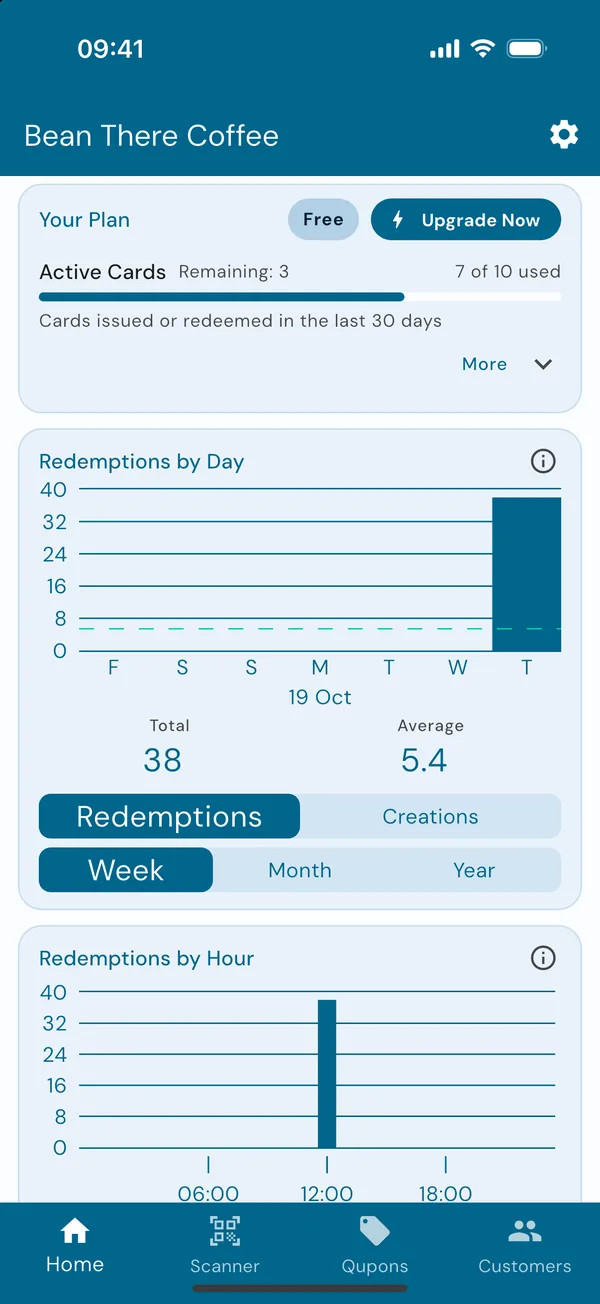
Your Plan, on the home screen
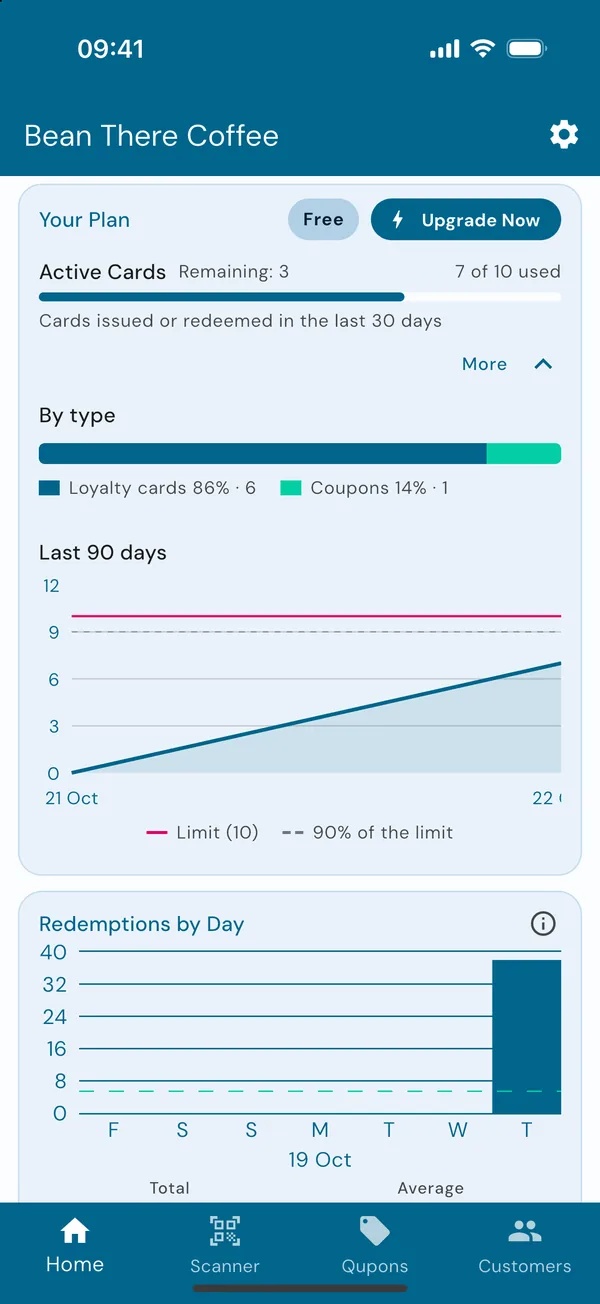
The owner's home screen starts with Your Plan. It shows how many active cards you have out of your plan's limit, and when the plan renews.
Tap More to see your active cards by type (loyalty cards and coupons) and a chart of the last 90 days, with your limit marked across it.
Admins who aren't the owner see "This business is on the plan of its owner. Only the owner can change it." instead.
Reaching your limit
Qupons won't stop your scheme without warning:
- At 90% of your limit, Your Plan warns you that you're getting close.
- At the limit, you're given a few extra cards so nothing stops straight away. Your Plan says how many are left.
- Once the extra cards are used, new cards are refused, and so are stamps on loyalty cards that haven't been used in the last 30 days. Cards your regulars are already using keep working, and rewards and coupons can still be redeemed.
As older cards pass their 30 days, they stop counting and you have room again. To keep growing, upgrade.
Change your plan
Only the business owner can choose the plan. Tap Upgrade Now on Your Plan, or go to Settings → Manage Subscription. Choose monthly or yearly billing, then subscribe. Plans are billed through the App Store or Google Play, so you manage renewals and cancellations there.
New phone? Tap Restore purchases on the plans page to bring your subscription across.
- Your limit applies across every business you own, so a second shop shares the same active cards.
- See pricing for what each plan includes.