Manage your customers
Search your customer list, see each customer's Qupons, export to a spreadsheet, or delete a customer's data.
Everyone who holds one of your Qupons is listed in the Customers tab. Customers are identified by their email address, which is the only personal detail Qupons asks for.
Your customers at a glance
Engagement
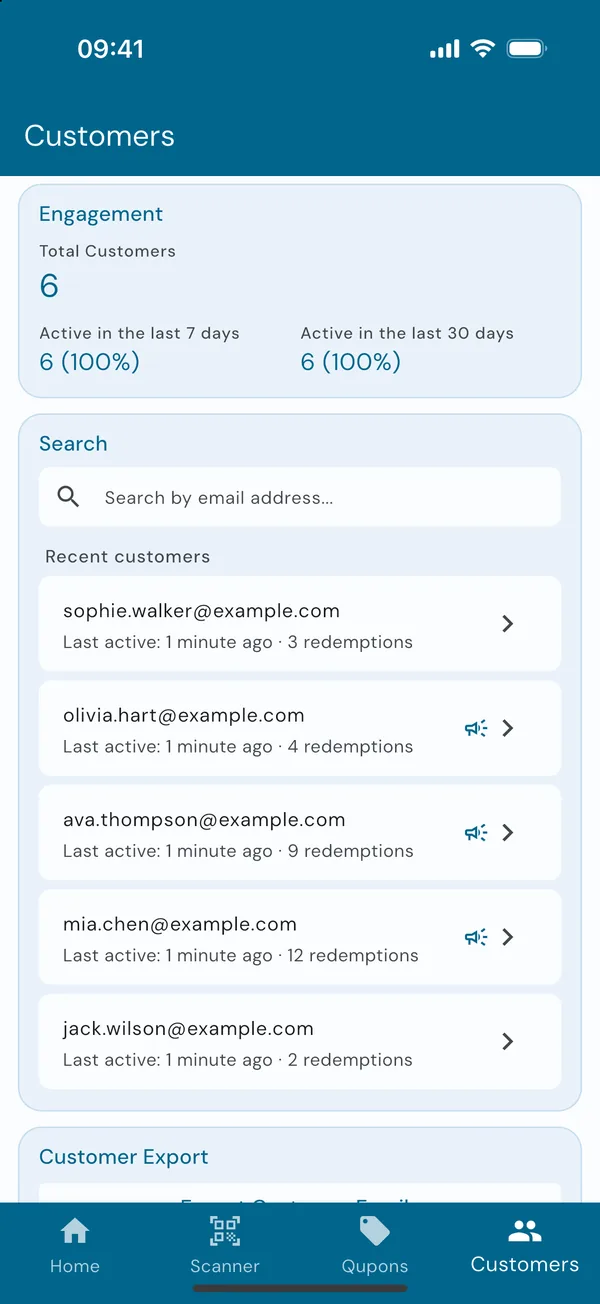
The top of the tab shows your total customers, and how many have been active in the last 7 days and in the last 30 days. A customer is active when they've been sent a Qupon or had one redeemed.
Find someone
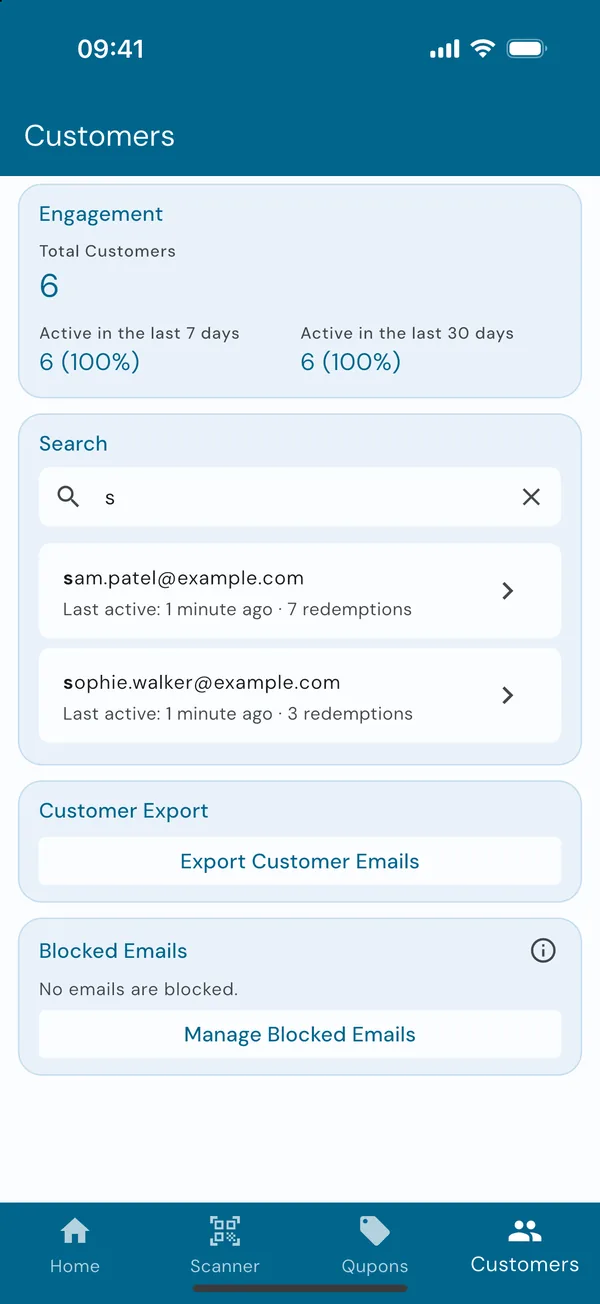
Under Search are your recent customers. Start typing an email address and the list narrows to the customers whose email starts with it. Tap a customer to open their details.
This is the quickest way to serve a customer who's forgotten their phone: find them, open their Qupon and slide to redeem.
Team members can't browse the list. For privacy, they type the customer's full email address and tap search.
A customer's details
Everything about one customer
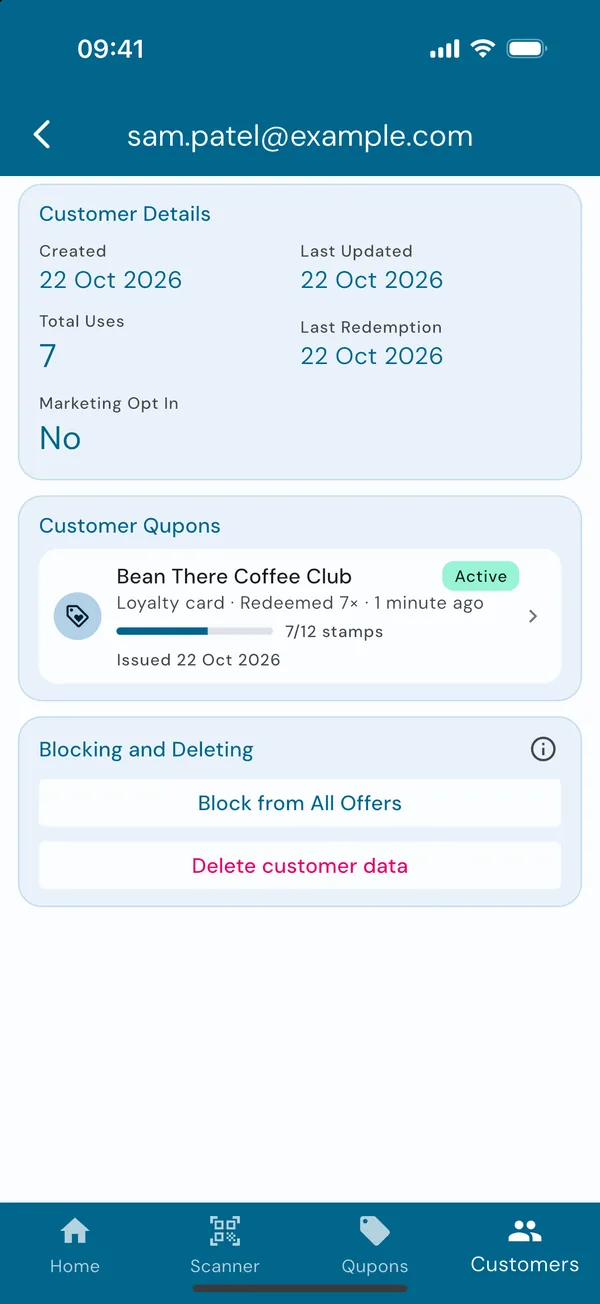
Tap a customer to see when they joined, when they last redeemed something, how many times they've used your Qupons in total, and whether they agreed to receive marketing emails.
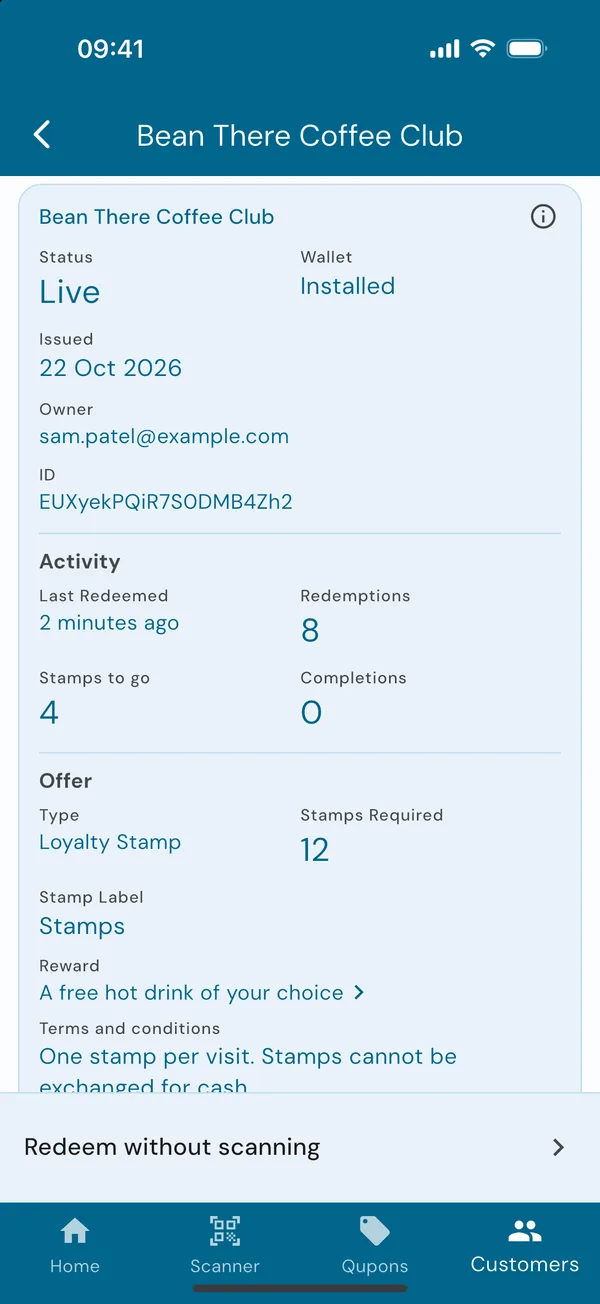
Under Customer Qupons is every Qupon they hold. Tap one to open it, where you can redeem it without scanning.
Export your customers
Admins can tap Export Customer Emails to create a CSV file of your customers, which you can save, email or open in a spreadsheet. Use it to import customers into your mailing tool, but only email people who opted in to marketing: the export says which ones did.
Block or delete a customer
At the bottom of a customer's details, admins have Blocking and Deleting.
Block from All Offers stops them claiming any of your offers through your sign-up links, including ones you make later. The Qupons they already have keep working. See Block an email address.
Delete customer data is for when a customer asks you to remove their details. Type the code shown to confirm. Deleting their data:
- removes their name and email address from Qupons,
- cancels their active Qupons, so their wallet passes stop working,
- emails them once to confirm their data was deleted, and
- keeps their Qupons in your statistics, shown as "Deleted customer".
Deleting can't be undone. If the customer comes back later, they can sign up again and start a new card.
Marketing consent
Qupons records whether each customer agreed to receive marketing emails when they got their first Qupon from you, either by ticking the box on your sign-up page or by you ticking it in the app. Qupons never sends marketing on your behalf and never sells customer data. See our privacy policy for more.