From your phone to theirs
Qupons connects you with your customers. You run everything from your phone, they carry their card in their wallet, and the busywork in between happens automatically. Here's every step, start to finish.
Step by step
What you do, what your customer does, and what happens automatically in between.
-
1
You
Design your loyalty card
The card designer in the app walks you through it in about five minutes: name the card, decide what earns a stamp and how many stamps fill it, choose the reward, then pick a design. Start from one of 25 ready-made designs, or use your own logo, banner and colours.
As you go, you see a live preview of the card as it will look in Apple Wallet and Google Wallet.
Guide: create your first loyalty card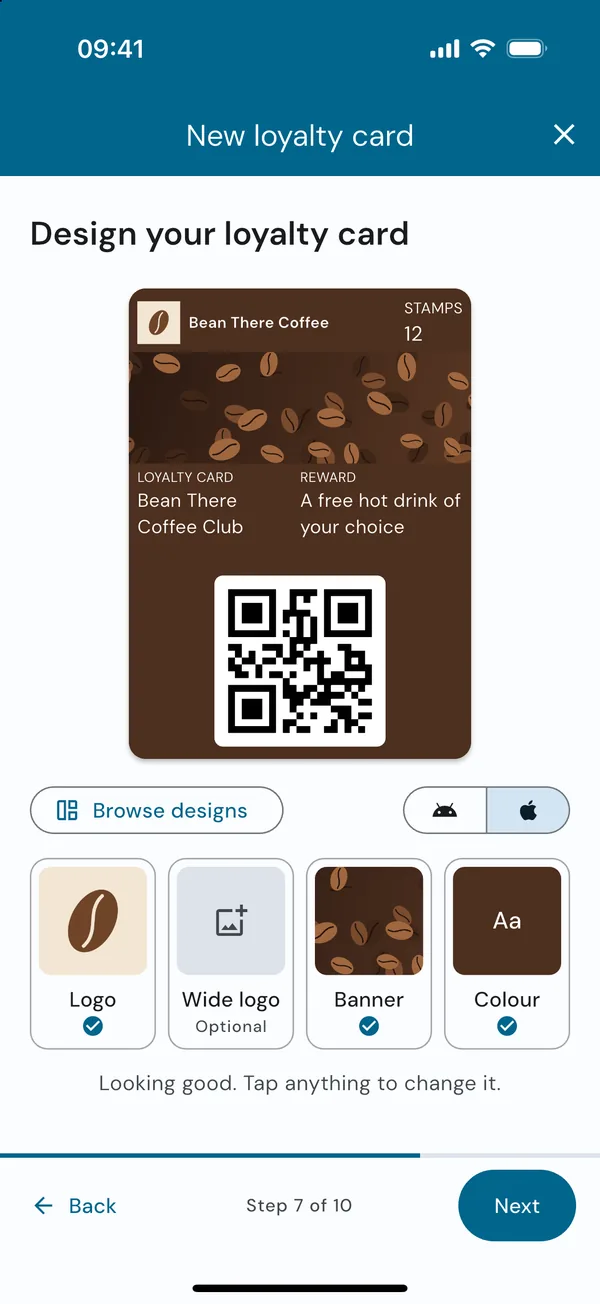
-
2
Automatic
Your card goes live
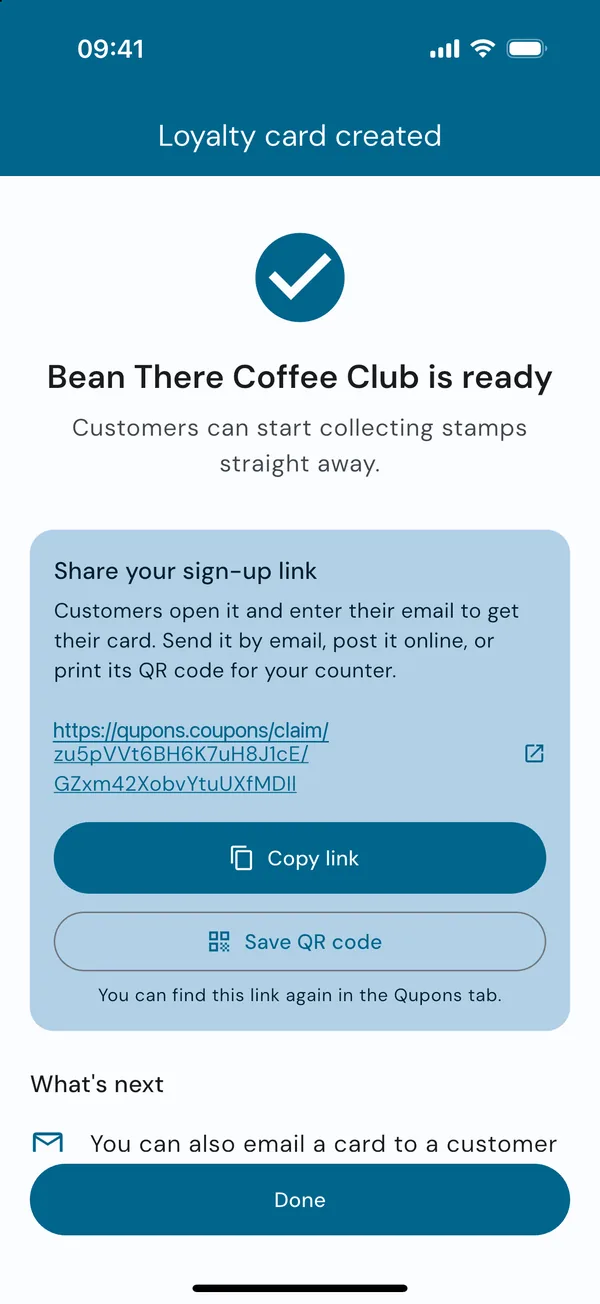
Qupons saves your card, uploads its images, and creates a reward coupon to go with it. If you turned on online sign-up, you get a link of your own, and a QR code you can save from the app. Share the link by email or social media, and print the QR code for your counter or window.
-
3
Your customer
They sign up with just an email address
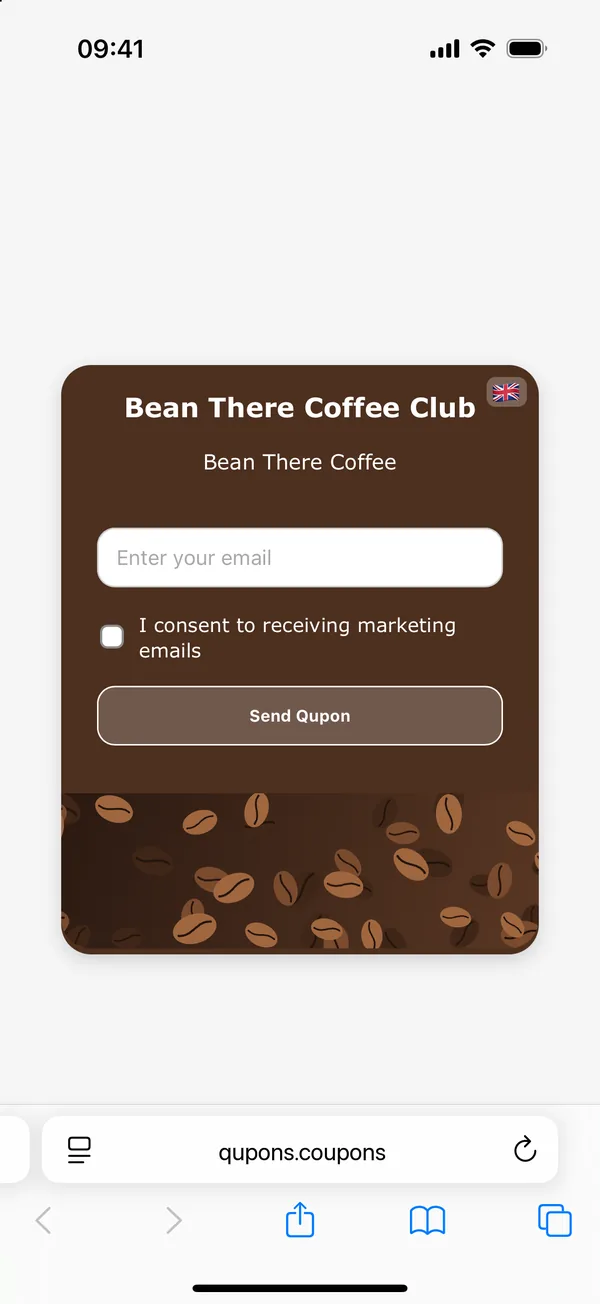
Customers open your sign-up link, see a page styled in your card's colours, and enter their email address. There's no app to download and no account to create. They can choose whether to hear from you about offers.
Prefer to do it for them? Type their email into the app at the till and Qupons sends the card.
-
4
Automatic
The Qupon arrives in their inbox
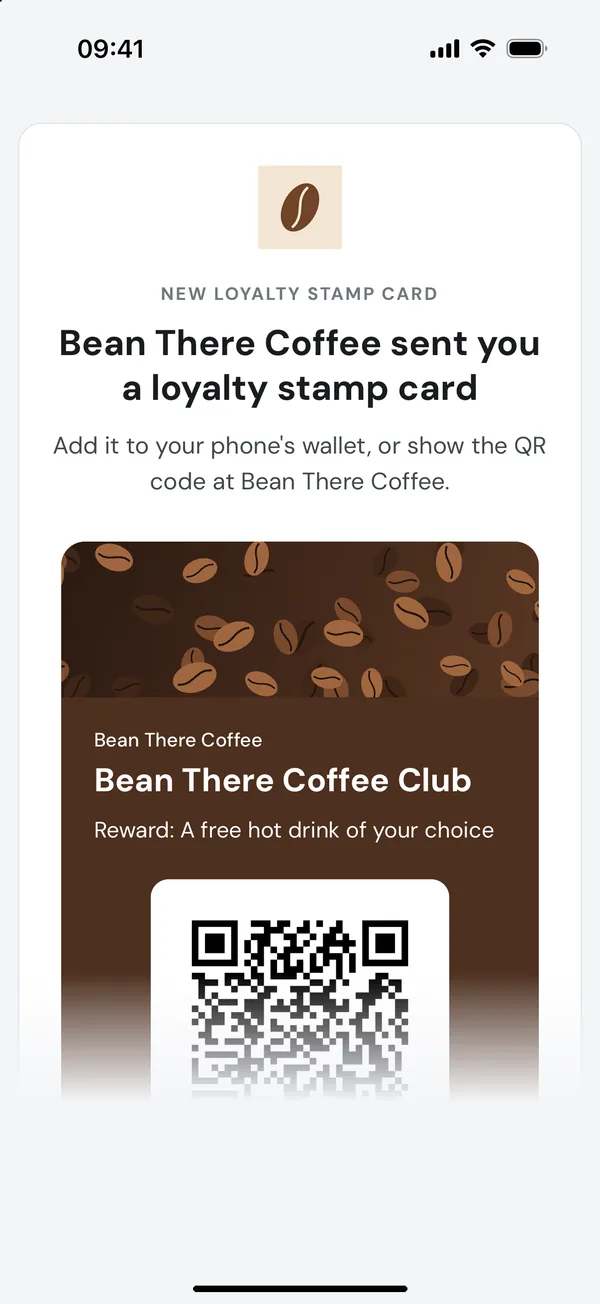
Within a few seconds Qupons generates the customer's own Qupon: a unique QR code, an Apple Wallet pass and a Google Wallet pass, all in your design. They're emailed to the customer with your business name as the sender.
One tap adds the card to their phone's wallet, where it sits alongside their boarding passes and bank cards. It can't be left at home in a coat pocket.
-
5
You
Scan it at the till
When the customer visits, open the Scanner tab and point your camera at their QR code. Qupons shows you whose card it is and how many stamps they have. Forgotten their phone? Find them by email and slide to redeem instead.
Guide: stamp cards and redeem coupons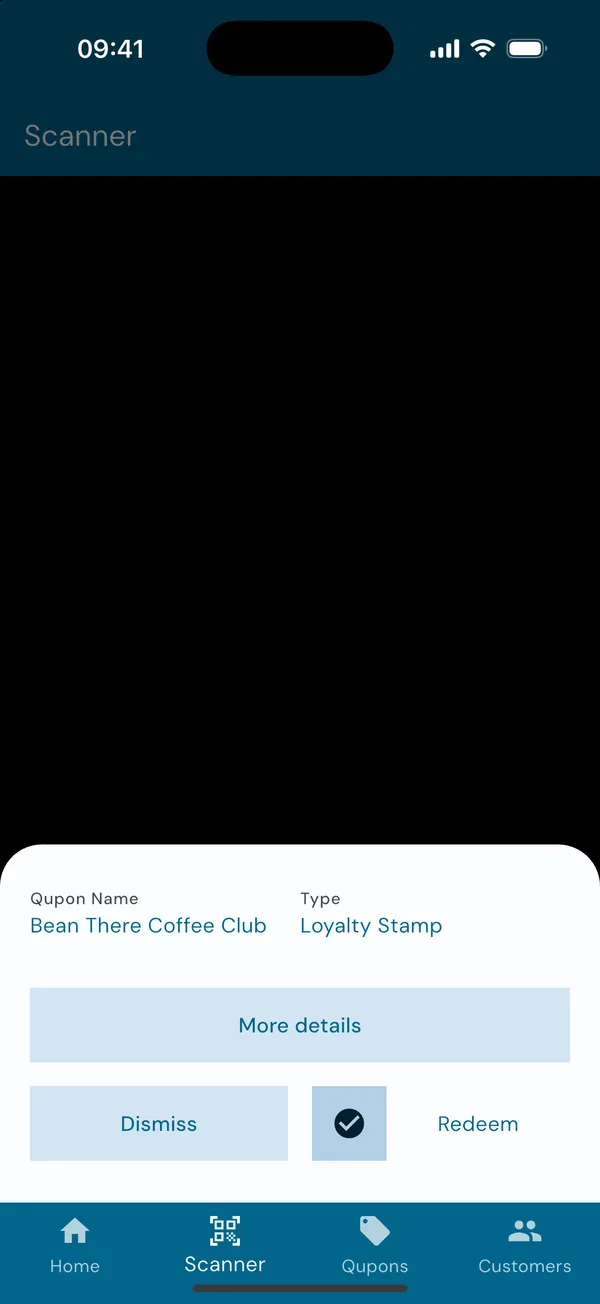
-
6
Automatic
A stamp is added, everywhere at once
Qupons checks the Qupon is genuine, still valid and belongs to your business, then records the stamp. The customer's wallet pass updates on its own to show their new count, and your statistics update in the app.
Everything happens in a single transaction, so two tills scanning the same card at the same moment can't both count it.
-
7
Your customer
They earn their reward
The moment you stamp, the app shows how many stamps they have left. On the stamp that fills the card, Qupons emails the customer a reward coupon, ready to use on their next visit. If you chose to start a new card when one is full, they can begin collecting again straight away.
Guide: how rewards work
What happens when you scan
Every redemption goes through the same checks, so a Qupon can't be used twice, used after it's expired, or used at someone else's business.
Two kinds of Qupon
Everything in Qupons is built from two building blocks.
Loyalty stamp cards
Customers collect a stamp each time they do the thing you reward, like buying a coffee. When the card is full they earn the reward you chose.
- Choose how many stamps fill a card
- Name your stamps ("Coffees", "Cuts", "Washes")
- Send the reward automatically when the card is full
- Start a new card automatically, so customers keep collecting
Coupons
A single offer, such as "a free pastry with any hot drink". Each customer's coupon can be used once, a set number of times, or as often as you like.
- Rewards for full loyalty cards are coupons
- Each one has its own QR code and wallet pass
- The pass expires in the customer's wallet once it's used up
- Rewards can last forever, or for a set time with a reminder email
Under the hood
The details that make it work, if you're curious.
Unique QR codes
Every customer's Qupon has its own code. Copying someone else's card is pointless: the stamps belong to them, and a code only works at the business that issued it.
Wallet passes that update
Apple and Google Wallet passes refresh after each redemption, so the stamp count on the customer's phone always matches yours. Used-up coupons expire in the wallet.
One card per customer
If a customer signs up twice with the same email, Qupons resends the card they already have rather than creating a second one.
Protected sign-up links
Public sign-up pages are rate limited, and each email address can only be sent a card a few times an hour, so your link can't be used to flood an inbox.
Secure sign-in
You sign in with email and password, Google or Apple, and email addresses are confirmed before an account can be used. Every request from the app is checked against your account and your role in the business.
Your data, your customers
We never sell personal data. You can export your customer list at any time, block an address from signing up, or delete a customer's data, which also cancels their Qupons.
See it step by step
Our guides walk through every screen of the app, with pictures.