Resend or cancel a Qupon
Check a Qupon's status and wallet, email it to the customer again, or cancel it.
Every customer's loyalty card or coupon is a Qupon, and each one has its own page in the app. From it you can see exactly where it stands, email it to the customer again, or cancel it.
To open one, search for the customer in the Customers tab and tap the Qupon under Customer Qupons. Admins can also open an offer in the Qupons tab and tap a customer in its lists of Qupons.
Read a Qupon
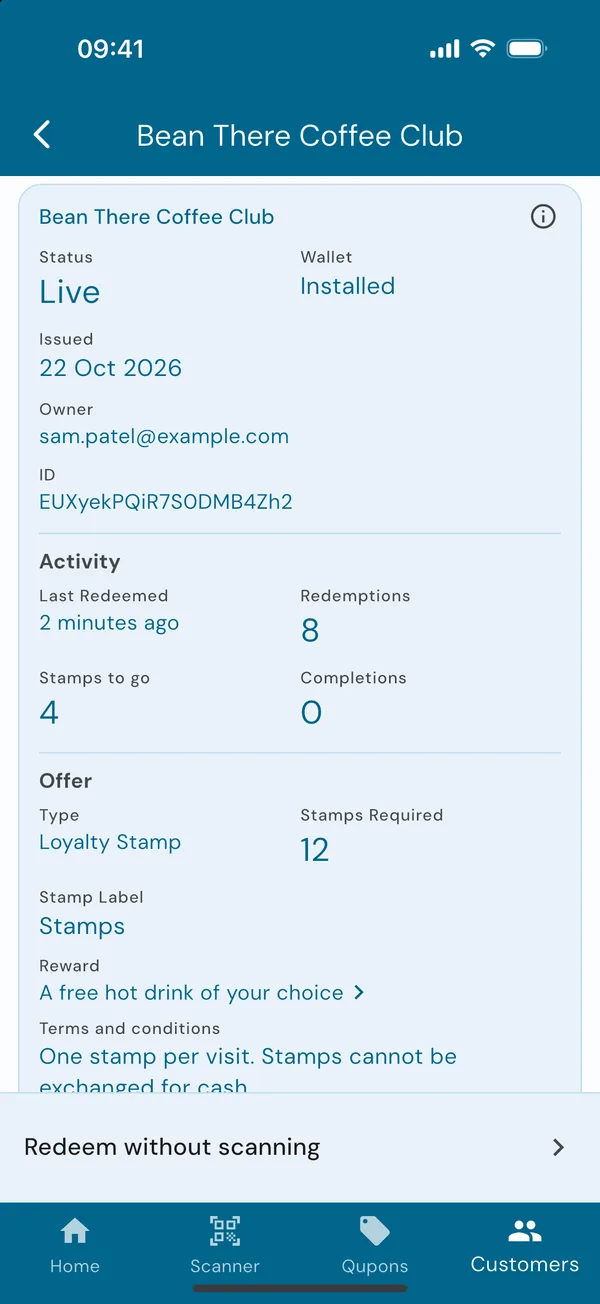
Status and wallet
The top of the page answers the two questions customers ask most:
- Status: whether it can be redeemed now.
- Wallet: whether the customer has added it to Apple Wallet or Google Wallet.
Below them are when it was issued, when it expires (rewards only, if you gave them a time limit) and whose it is.
| Status | What it means |
|---|---|
| Live | It can be redeemed now. |
| Pending | Its offer hasn't started yet. |
| Paused | Redemptions of its offer are paused. |
| Complete | A full loyalty card that doesn't start again. |
| Redeemed | All of its uses have been redeemed. |
| Expired | Its dates have passed. |
| Cancelled | It was cancelled, on its own or with its offer, and can't be redeemed or sent again. |
| Wallet | What it means |
|---|---|
| Created | It hasn't been emailed yet. If it doesn't arrive, resend it. |
| Distributed | It's been emailed, but the customer hasn't added it to a wallet yet. |
| Installed | It's in the customer's Apple Wallet or Google Wallet. |
| Uninstalled | The customer has removed it from their wallet. |
Not in a wallet doesn't mean it can't be used: customers can always show the QR code in their email.
Activity and history
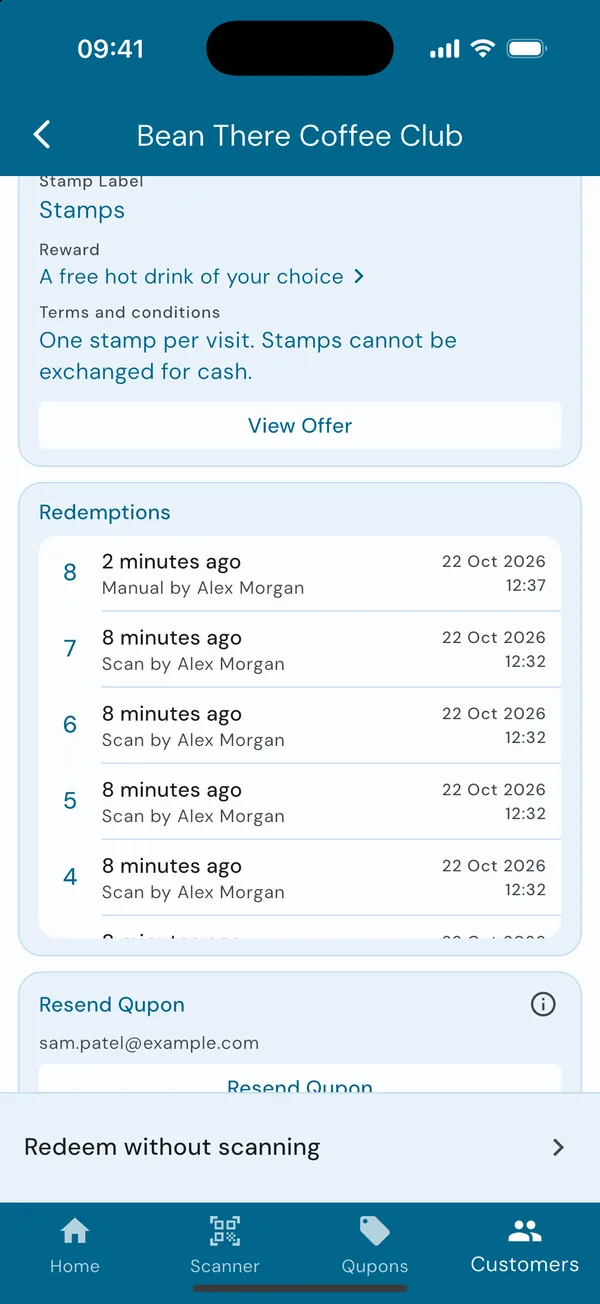
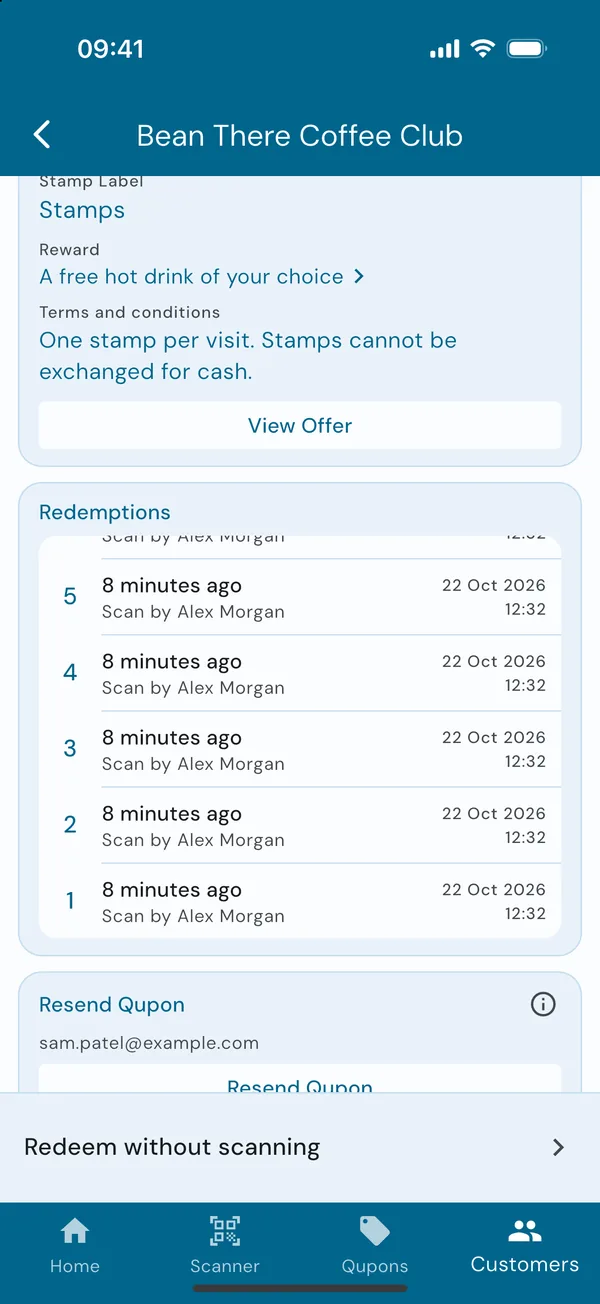
Under Activity are when it was last redeemed, how many redemptions it has had, and for a loyalty card how many stamps to go before the reward and how many full cards they've completed. Redemptions lists every stamp or use, with who made it and whether it was a scan or a manual redemption.
Resend a Qupon
When the email went missing
Scroll down to Resend Qupon and tap the button. The customer is emailed their Qupon again, with its QR code and wallet passes. Anyone on the team can do this.
So customers aren't flooded, a Qupon can only be resent once every 5 minutes. The app tells you when it can next be sent.
Cancel a Qupon
Stop one customer's card
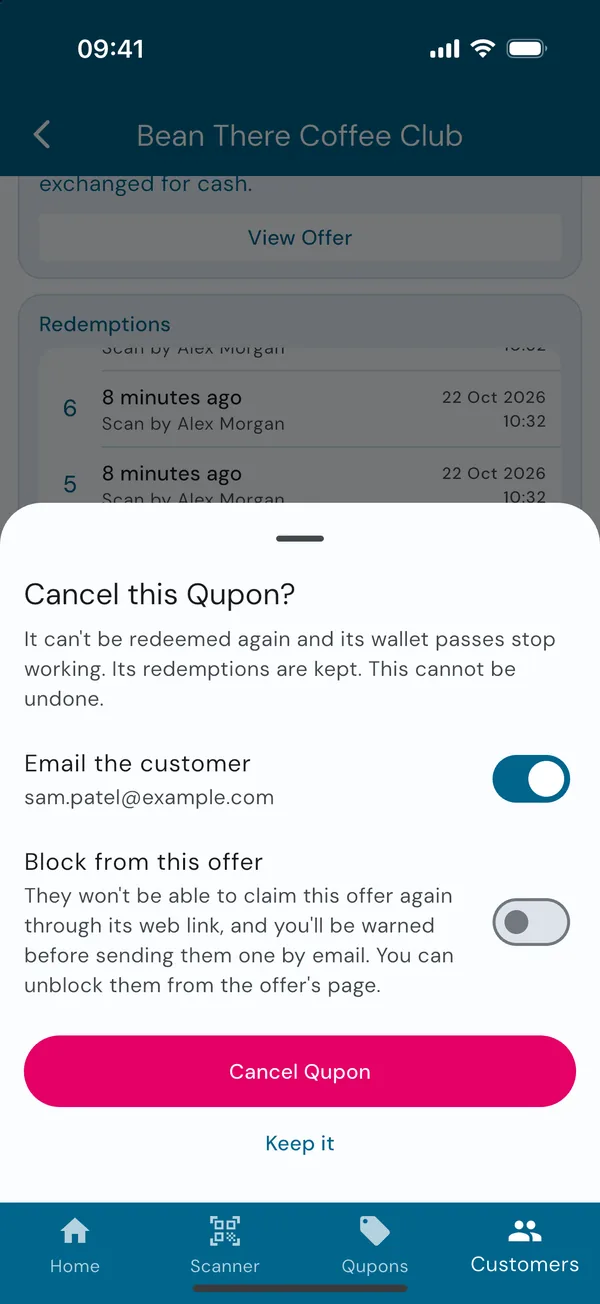
For when a card was sent by mistake, or has been misused. Admins tap Cancel Qupon at the bottom of the page, then choose:
- Email the customer to let them know it's been cancelled.
- Block from this offer, so they can't sign up for it again with its link. Or Block from all offers, including ones you make later.
Tap Cancel Qupon to confirm. It can't be redeemed again and its wallet passes stop working. Its redemptions stay in your statistics. This can't be undone.
A fully redeemed coupon can't be cancelled, as there's nothing left to stop. To end an offer for every customer at once, cancel the offer instead.