Pause, change or end an offer
Pause sign-ups or redemptions, change what happens when a card is full, or cancel an offer for good.
Each loyalty card and coupon you create is an offer. Once it's live you can pause parts of it, change what happens when a card is full, or end it for good. You'll find all of this at the bottom of the offer's page: open the Qupons tab and tap the offer. Only owners and admins can make these changes.
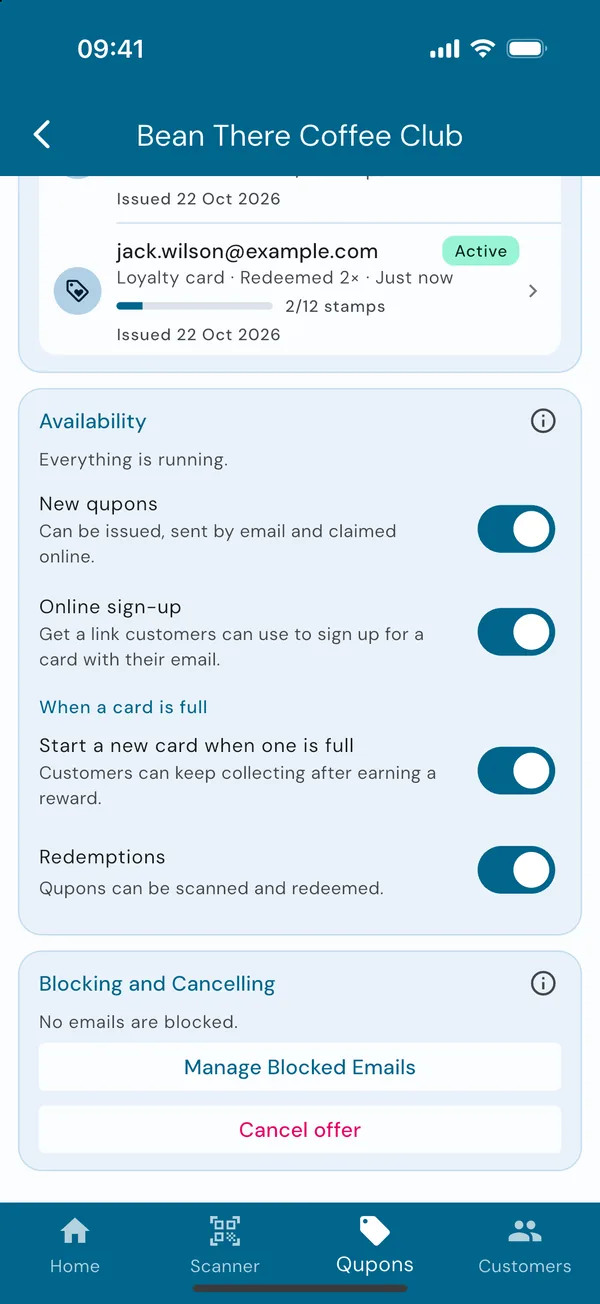
Availability
See what's running
Scroll to Availability. The line at the top sums it up, for example "Everything is running." or "New qupons paused". Underneath is a switch for each part of the offer:
- New qupons: whether new cards can be issued, sent by email and claimed online.
- Online sign-up: whether your sign-up link and QR code work.
- Start a new card when one is full (loyalty cards only): whether a full card starts again, or is marked Complete.
- Redemptions: whether the offer's cards can be scanned and redeemed.
Nothing is lost while something is paused. Resume it and everything carries on as before.
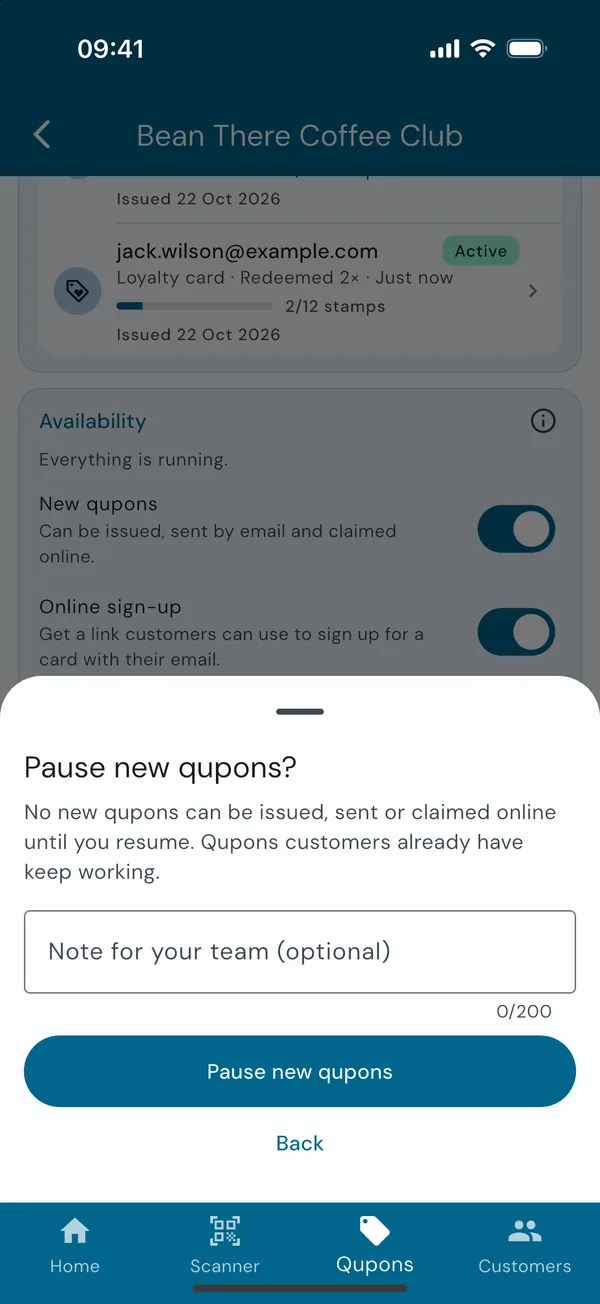
Flip a switch, then confirm
Tap a switch and Qupons explains what will happen before anything changes. You can add a note for your team, such as "Closed for refurbishment until Monday", then confirm.
When to use each one
| You want to… | Do this | Customers notice |
|---|---|---|
| Stop new sign-ups for a while, but keep stamping | Pause New qupons | The sign-up link stops working. Their cards work as normal. |
| Only hand out cards yourself, not through a link | Turn off Online sign-up | The sign-up link stops working. You can still send cards by email. |
| Close for a holiday or refit | Pause Redemptions | Their cards and stamps are kept, but can't be stamped until you resume. |
| Make a loyalty card a one-off | Turn off Start a new card when one is full | From now on, a full card earns its reward and is marked Complete. |
Rewards follow their loyalty card. A reward is only issued when a loyalty card is filled, so it has no New qupons switch of its own. To stop rewards being earned, pause redemptions on the loyalty card.
End an offer for good
Pausing is usually enough. If you're sure an offer has finished, cancel it.
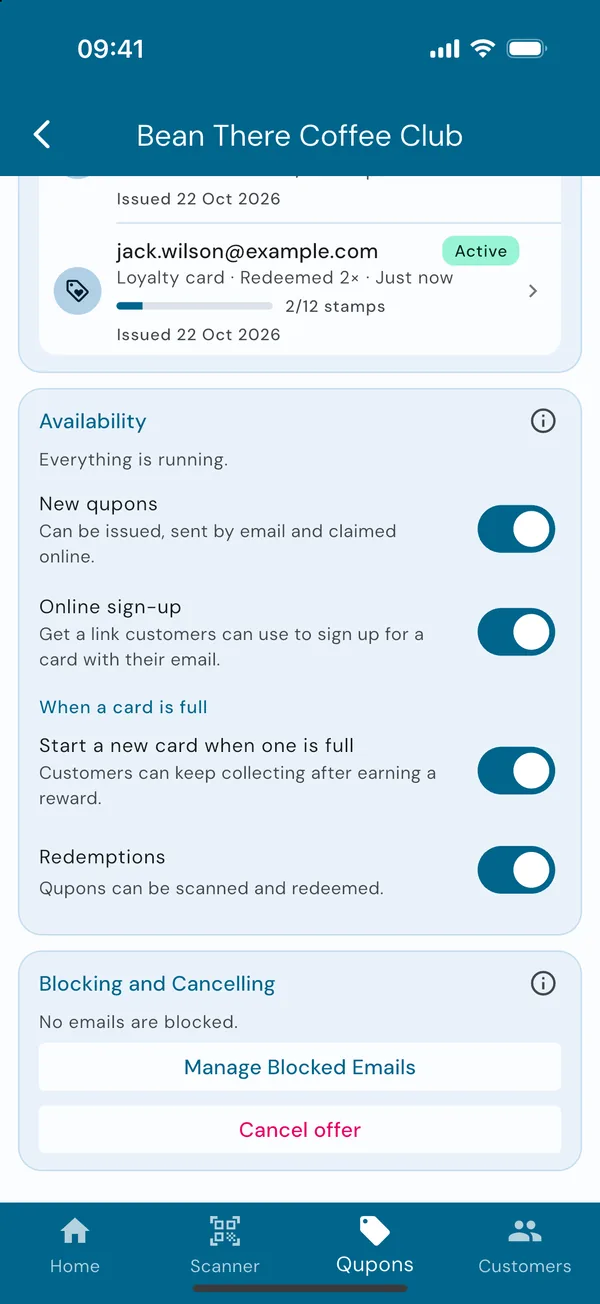
Cancel the offer
At the very bottom of the offer's page, under Blocking and Cancelling, tap Cancel offer. Qupons tells you how many active cards will be cancelled, then asks you to confirm. Cancelling:
- cancels every customer's card, and their wallet passes stop working,
- emails each customer who had an active card to let them know,
- stops anything more being issued or redeemed, and
- keeps everything in your statistics, marked Cancelled.
It can't be undone.
Then delete it, if you like
A cancelled offer stays in your Qupons tab, so you can still look back at it. When you no longer need it, open it and tap Delete offer to remove it and its cards. They still count in your statistics.
Ending a loyalty card? Its reward isn't cancelled with it, so customers who've already earned a reward can still use it. Once the loyalty card is cancelled, you can cancel the reward separately from its own page.
Just one customer?
To stop a single customer's card rather than the whole offer, open their Qupon and cancel it there. See Resend or cancel a Qupon. To stop someone signing up at all, block their email address.