Block an email address
Stop someone claiming one of your offers, or all of them, through your sign-up link.
Your sign-up link lets anyone with an email address claim your card. Occasionally you'll want to stop someone: a customer who's been abusing an offer, a member of staff collecting stamps for themselves, or an address that keeps signing up for the wrong reasons. Blocking an email address stops it claiming your offers online. Only owners and admins can block emails.
What blocking does
- The address can't claim the offer through its sign-up link or QR code.
- You're warned before sending them a card by email, and can still choose Send anyway.
- Qupons they already have keep working. To stop one of those too, cancel it.
- You can block an address whether or not they're a customer yet.
There are two kinds of block:
| Block from | Covers | Set and lifted from |
|---|---|---|
| This offer | One loyalty card or coupon. | The offer's page, under Blocking and Cancelling. |
| All offers | Every offer you have now, and any you make later. | The Customers tab, or the customer's own page. |
Block someone from one offer
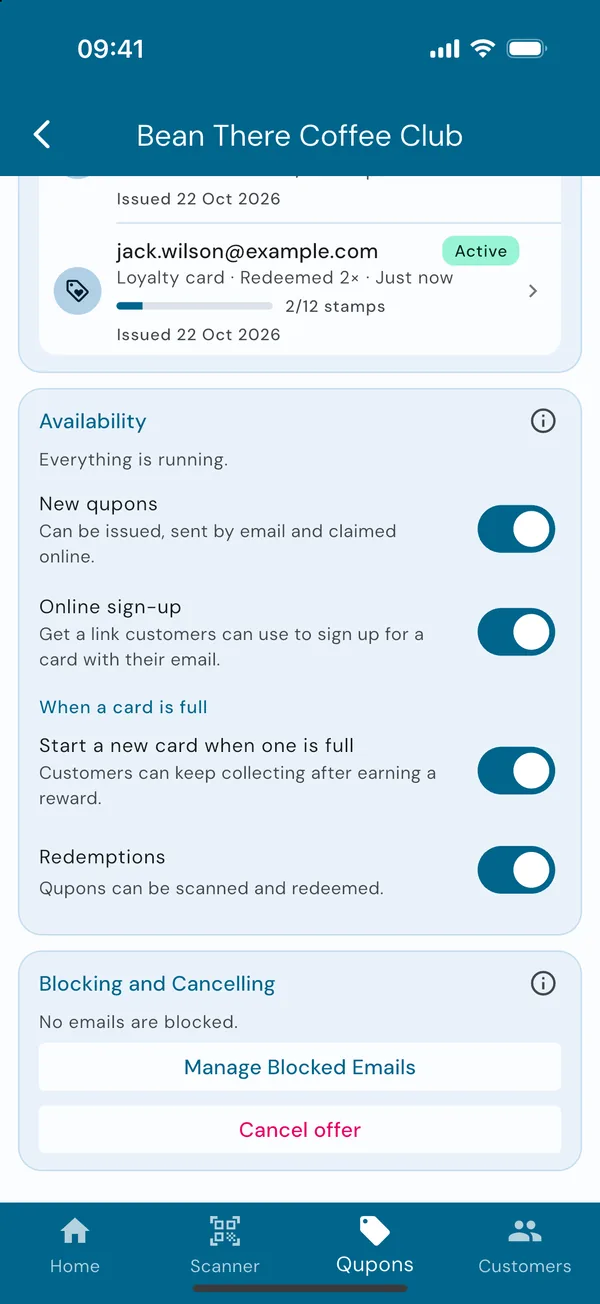
Open the offer's blocked emails
In the Qupons tab, open the offer and scroll to the bottom. Under Blocking and Cancelling, tap Manage Blocked Emails. You'll see everyone blocked from this offer, and can search the list.
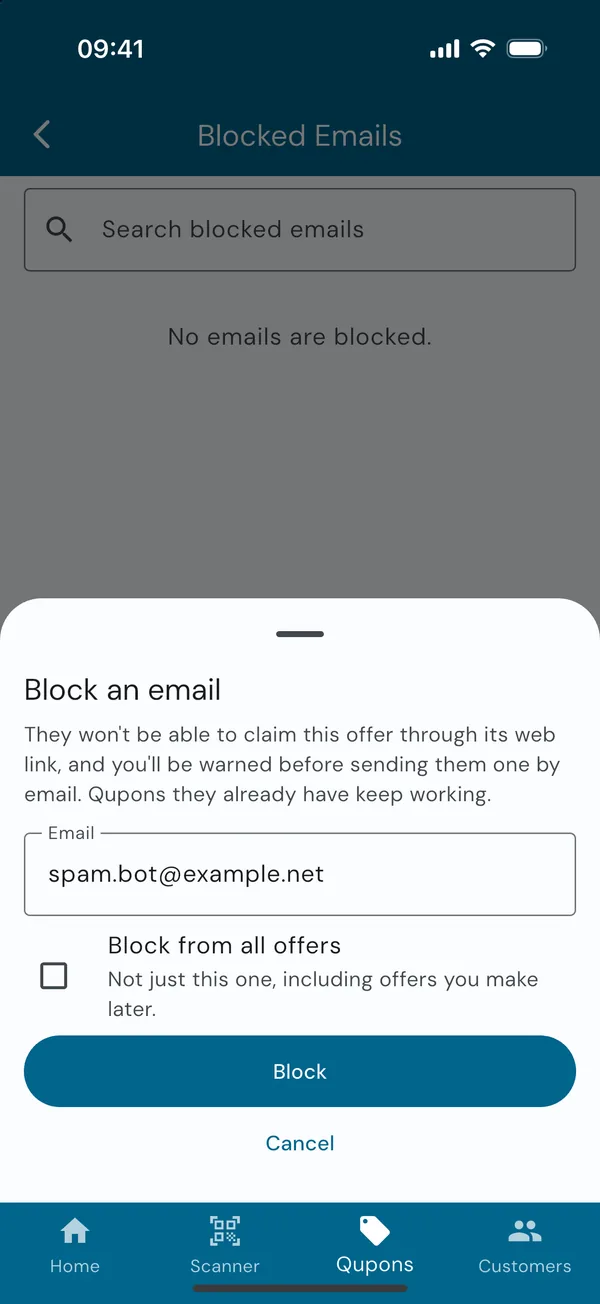
Add the address
Tap Block an Email and type the address. Tick Block from all offers to block it from everything instead of just this offer. Tap Block.
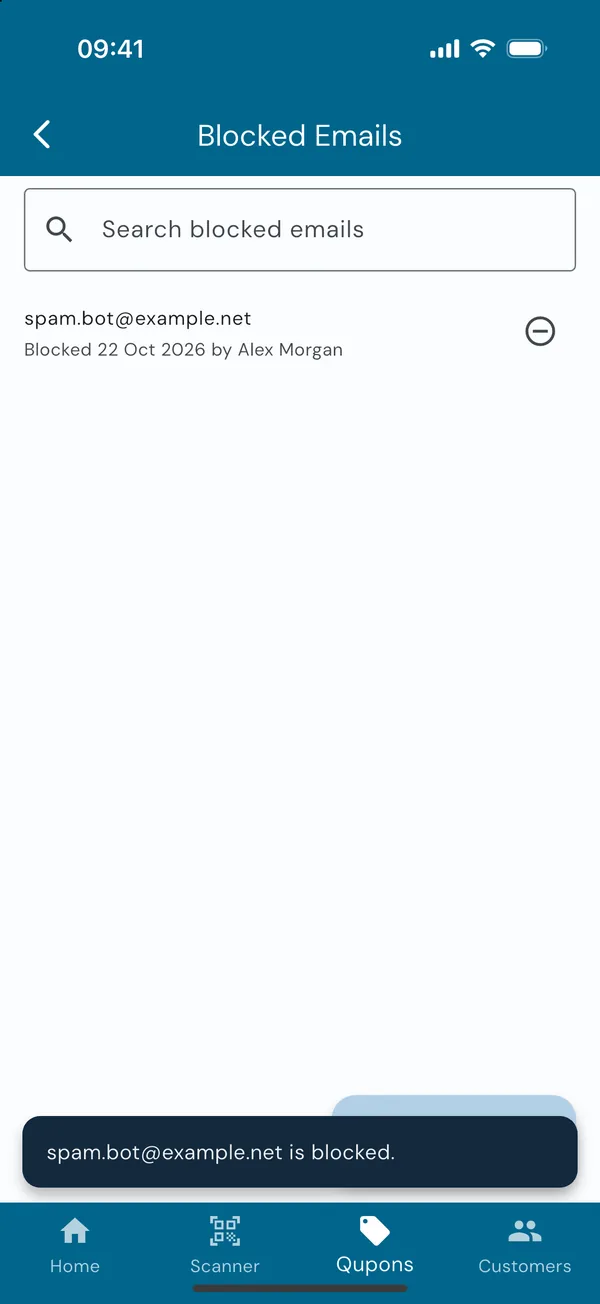
Block someone from everything
At the bottom of the Customers tab, Blocked Emails shows how many addresses are blocked from all your offers. Tap Manage Blocked Emails to see them or block another. Turn on Include blocks on single offers to find an address wherever it's blocked.
You can also block a customer from their own page: find them in the Customers tab, scroll to Blocking and Deleting and tap Block from All Offers.
Block when cancelling a Qupon
When you cancel a customer's Qupon, Qupons offers to block them from this offer, or from all offers, in the same step, so they can't simply sign up again. See Resend or cancel a Qupon.
Unblock
Find the address in the blocked list and tap the unblock button next to it. If it's blocked both from an offer and from all offers, Qupons asks which block to lift. Once every block on an offer is lifted, they can claim it through its link again.